100% Open SourceGuideClaude DesktopTutorial
How to Connect Claude Desktop to TallyPrime in 3 Steps
A complete step-by-step tutorial on connecting Claude Desktop to your local TallyPrime instance using stdio and the TallyMCP executable.
E
Engineering Team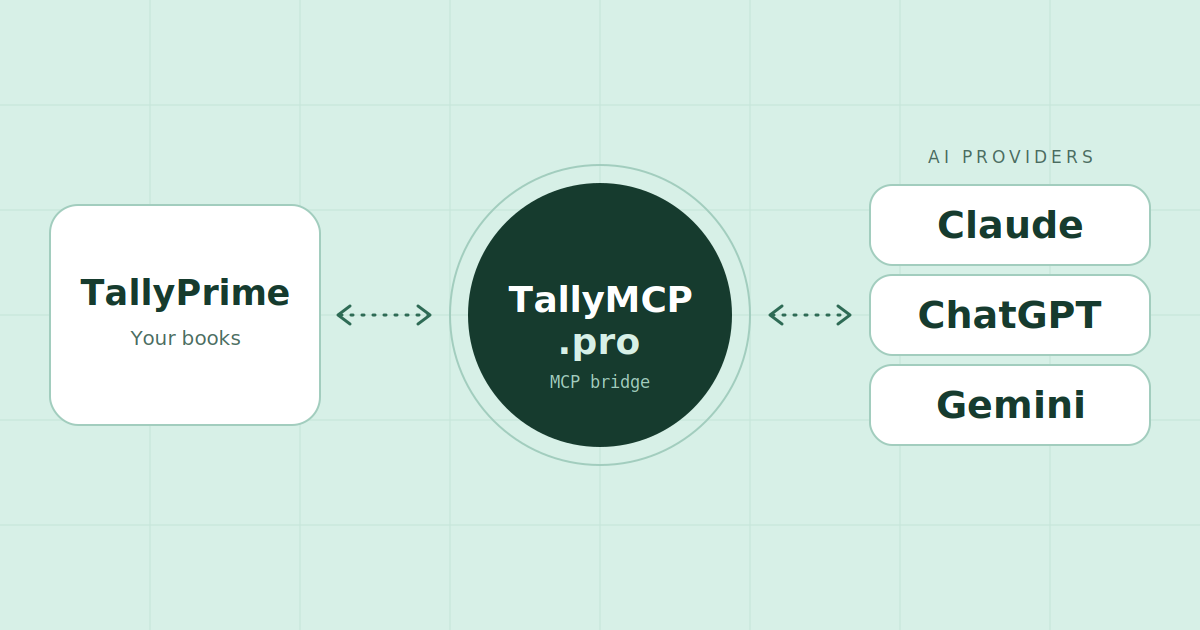
Claude Desktop's native support for the Model Context Protocol (MCP) transforms how accountants and business owners review financial records. In this tutorial, we will configure Claude Desktop to talk directly to your active TallyPrime company in less than 5 minutes.
Prerequisites
Before starting, ensure you have:
- Windows 10 or 11 with TallyPrime running.
- Tally ODBC/XML server enabled on port
9000(pressF1 ▸ Settings ▸ Connectivity ▸ Client/Server configuration). - Claude Desktop installed.
- TallyMCP Windows Installer installed.
Step 1: Verify Tally Connectivity
Open PowerShell and run the built-in diagnostic doctor:
tally-mcp doctor
You should see a green checkmark confirming:
- HTTP port
9000is open. - Tally responded with a valid
ENVELOPEXML payload. - An active company is currently loaded.
Step 2: Configure Claude Desktop
In Claude Desktop, navigate to: File ▸ Settings ▸ Developer ▸ Edit Config
Or open %APPDATA%\Claude\claude_desktop_config.json in your favorite text editor. Add the standardized tallymcp.pro server definition inside the mcpServers object:
{
  "mcpServers": {
    "tallymcp.pro": {
      "command": "tally-mcp",
      "args": ["serve"]
    }
  }
}
Tip: If
tally-mcpis not in your global system PATH, provide the absolute path:"C:\\Users\\<YOUR_WINDOWS_USERNAME>\\AppData\\Local\\Programs\\TallyMCP\\tally-mcp.exe".
Crucial Step: Terminate Lingering Claude Background Processes
Claude Desktop often maintains background worker processes that prevent configuration reloads from taking effect. In PowerShell, execute:
taskkill /IM Claude.exe /F
Then relaunch Claude Desktop.
Step 3: Verify Connectors & Start Conversing
- Start a new chat in Claude Desktop.
- Click the
+attachment icon ▸ Connectors ▸tallymcp.pro. - You will see all 31 tools across 6 modular toolsets active and ready:
Core Toolset (14 Tools)
tally_status— Check Tally reachability, active company, and circuit breaker healthtally_list_companies— List loaded and available companies in TallyPrimetally_set_active_company— Set active company context for queriestally_list_ledgers— List ledger accounts, groups, and current balancestally_trial_balance— Export full debit/credit trial balancetally_day_book— Query Day Book transactions with date range filteringtally_run_report— Execute standard Tally reportstally_export_report— Export complex Tally reportstally_get_result— Retrieve async report or audit job resultstally_toolsets— Enable or disable toolsets to save context window tokenstally_get_environment— Inspect active Tally environment and versionstally_diagnose_connection— Diagnose connectivity to port 9000tally_check_audit_trail— Verify Edit Log / Audit Trail compliancetally_check_books_health— Inspect books integrity and negative balances
Books & Accounting (6 Tools)
tally_list_receivables_ageing— Sundry Debtors overdue ageing bucketstally_explain_gstr2b_mismatches— GSTR-2B vs purchase ITC discrepancy analysistally_stock_check— Inventory stock balances, Godown, and threshold checkstally_voucher_check— Deep voucher integrity and line allocations checktally_ledger_check— Orphaned ledgers and negative balance validationtally_compliance_check— Statutory Section 43B(h) MSME, 40A(3), and 206AB audit
Audit & Internal Controls (4 Tools)
tally_internal_audit— S0–S9 multi-stage audit engine with Benford Law analysistally_cfo_snapshot— CFO executive financial metrics & risk scantally_preview_draft— Inspect staged voucher draft details and Dr/Cr balancetally_commit_draft— Commit an approved voucher draft to TallyPrime
Drafting & Invoicing (4 Tools)
tally_draft_voucher— Stage Payment, Receipt, or Journal voucher drafttally_draft_invoice— Stage Sales/Purchase GST invoice with automatic tax splitstally_draft_master— Stage new ledger or stock item master with human reviewtally_draft_bank_vouchers— Convert bank statements to staged draft entries
Document Ingestion & Lifecycle (3 Tools)
tally_extract_document— Parse bank statements and supplier invoice PDFs deterministicallytally_draft_vouchers_from_table— Batch draft vouchers from tabular CSV/Excel datatally_discard_draft— Cancel and purge unapproved voucher drafts
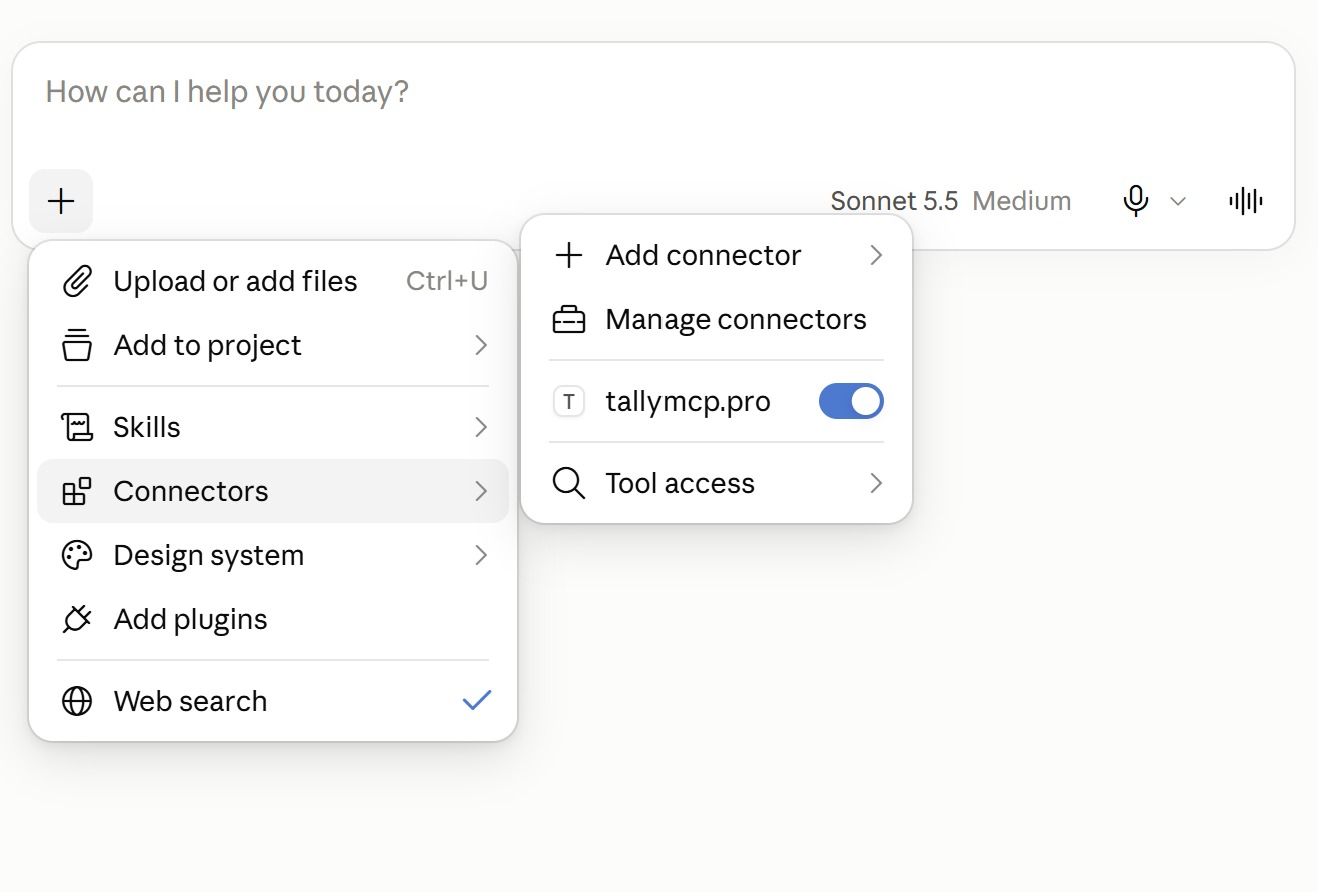 Claude Desktop Live Demonstration with tallymcp.pro
What Successful Configuration Looks Like (Live PoC)
In the live demonstration screenshot above:
- Connector Discovery: Claude Desktop reads
claude_desktop_config.jsonand loadstallymcp.proautomatically. - Active Green Status: Clicking
+▸ Connectors revealstallymcp.prowith a green active toggle switch. - Modular Tool Access: Selecting Tool access > exposes all 31 local accounting tools directly into Claude's prompt context without any third-party cloud relays.
Now ask Claude:
"Check our cash and bank balances in TallyPrime, and show the top 5 sundry debtors."
Claude will automatically query tally_list_companies, set the active company, and run tally_list_ledgers over local loopback XML (port 9000).
Staging Transactions Safely (Two-Phase Commit)
When you ask Claude to write a voucher:
"Draft a payment voucher of ₹50,000 to Apex Logistics for freight from our HDFC bank account."
TallyMCP stages the draft locally, validates that debits equal credits (₹50,000.00), and generates a dedicated approval link:
http://127.0.0.1:9190/approve?draft_id=d_e3b0c442&hash=...
Opening this link in your browser immediately launches the Interactive “See Details” Modal where you can review accounts, double-entry breakdown, and confirm or discard with 1 click. Zero changes are posted to Tally until you approve!
Back to all articles
TallyMCP is 100% open-source. Talk to your TallyPrime books like you talk to your accountant.GitHub